
Developer productivity tools split into two camps: tools that help you write and ship code, and tools that help you prove what you shipped. Most "best productivity tools" lists mix them together without saying which job each one actually does. This one doesn't.
- Pull Tally wins for browsing and tallying your own merged GitHub pull requests by month, org, or repo.
- GitHub Copilot wins for writing code faster inside your editor.
- Linear wins for sprint planning and issue tracking on a team.
- WakaTime and Toggl Track cover automatic vs. manual time tracking respectively.
- None of these tools score your output — they just make the data easier to find.
Why this matters
Ask most developers to list what they shipped last quarter and they'll open GitHub, scroll their PR history, and start clicking into individual pull requests one by one. That works fine for a single lookup. It falls apart when you're prepping a performance review, updating a resume, or answering "what have you been working on" for the third time this month.
Pull Tally exists for exactly that gap: it browses and summarizes your merged pull requests by month, organization, or personal repository, so you're not re-running the same GitHub search every quarter. The rest of the tools on this list solve adjacent problems — writing code, tracking time, planning sprints — and belong in the same toolkit for different reasons.
What makes the best developer productivity tools
- Minimal, explainable permissions — you should know exactly what data a tool reads and why, not just click "authorize" and hope
- Time saved on repetitive lookups — the tool should replace something you'd otherwise do manually, over and over
- Fits your existing workflow — editor, GitHub, or team chat, not a new app you have to remember to open
- Individual signal, not team vanity metrics — your own delivery history, not a leaderboard
- Something you can hand to another person — a review, a resume, a status update — not just a dashboard only you look at
- Low setup friction — sign in and get value in minutes, not a week of configuration
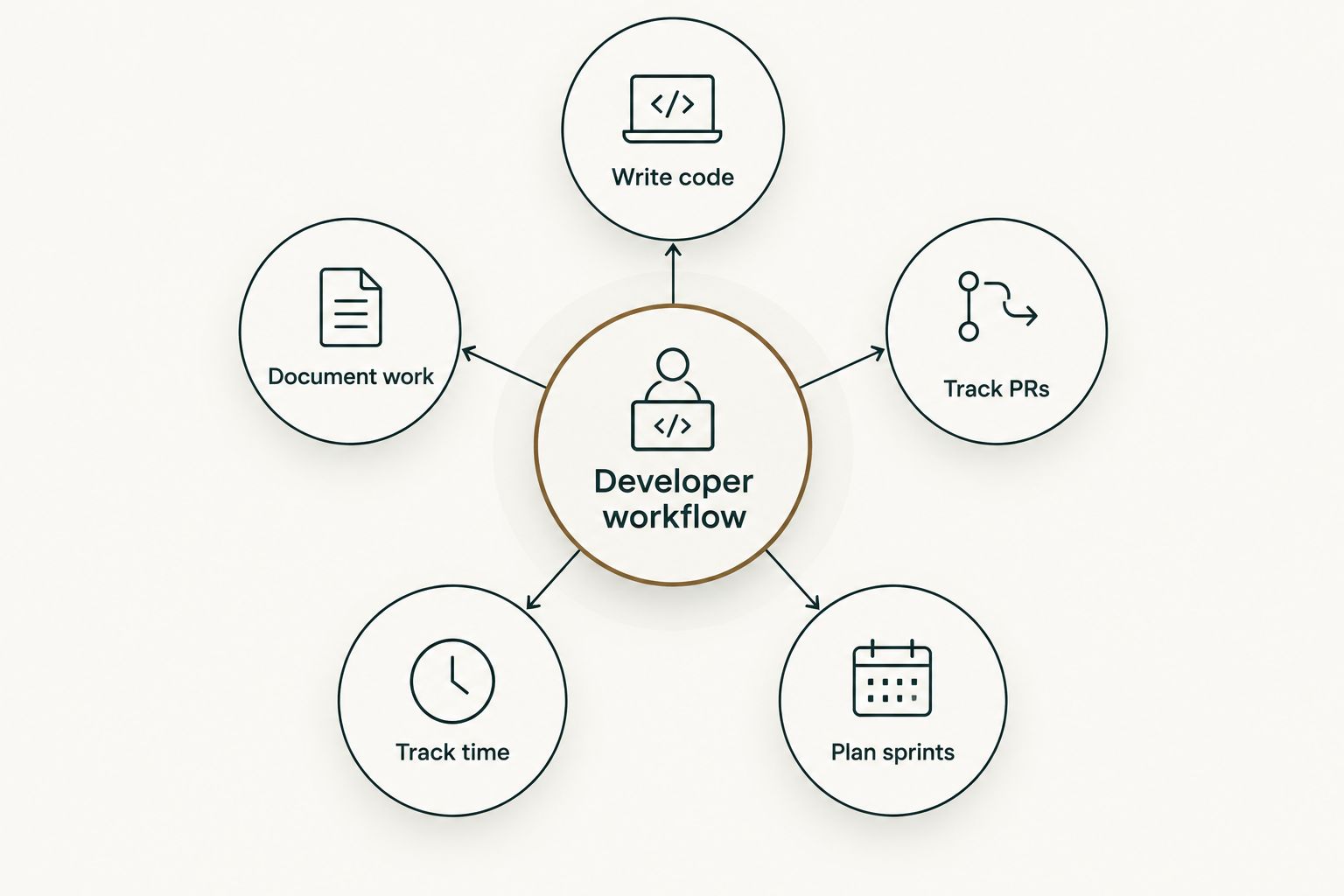
At a glance
| Tool | Best for | Standout feature | Key limitation |
|---|---|---|---|
| Pull Tally | Tallying merged GitHub pull requests | Monthly/org/repo breakdown of your own merged PRs | Doesn't track time or issues — PR history only |
| GitHub Copilot | Writing code faster in-editor | In-line AI code suggestions as you type | Suggestions still need review; no awareness of unstated team conventions |
| Linear | Sprint planning and issue tracking | Keyboard-first workflow with cycles and roadmaps | Built for teams — overkill for a solo contributor |
| WakaTime | Automatic coding time tracking | Editor plugin logs time by language and project with zero manual input | Only tracks time inside supported editors, not outcomes |
| Notion | Personal documentation and knowledge base | Flexible databases for notes, docs, and wikis | No native connection to code or GitHub activity |
| Toggl Track | Manual and automatic time tracking for freelancers | One-click timers across unlimited projects | Doesn't pull GitHub activity in automatically |
1. Pull Tally: best for tallying merged GitHub pull requests
Pull Tally reads your GitHub pull request metadata and lets you filter, browse, and summarize merged PRs by month, organization, or personal repository. It's built for the moment you need a delivery history, not a productivity score — the tool never ranks or grades your output, it just tallies what merged and when.
Access is read-only, and signing in alone does not connect private organization repositories — you decide what scope to grant. That matters if you're using it while employed and don't want a login to silently pull data from a company org you didn't intend to share.
Pull Tally pros:
- Monthly, org-level, and repo-level views of merged PRs without re-running GitHub search
- Read-only access, explained plainly rather than buried in a permissions dialog
- Built specifically for individual developers, not team dashboards
Pull Tally cons:
- Covers merged pull requests only — no open-PR review workflow, no time tracking, no issue board
- You still need a separate tool if you want sprint planning or coding-time metrics
Best for: developers prepping a performance review, a resume update, or a job search who need their own merged-PR history without a manual GitHub search every time. Verdict: Buy.
2. GitHub Copilot: best for writing code faster in-editor
Copilot suggests code completions and whole functions as you type, trained to work inside VS Code, JetBrains IDEs, and a handful of other editors. It's the tool on this list that changes how fast you write code, not how you track what you already wrote.
GitHub Copilot pros:
- Suggestions appear inline, with no context switching away from the editor
- Speeds up boilerplate, test scaffolding, and repetitive code patterns
- Works across most mainstream languages and frameworks
GitHub Copilot cons:
- Every suggestion still needs a human review before it merges
- It has no memory of unwritten team conventions unless you configure custom instructions
- Heavy reliance on suggestions can mask gaps in understanding of your own codebase
Best for: developers who spend real time on repetitive or boilerplate code and want that time back. Verdict: Buy.
3. Linear: best for sprint planning and issue tracking
Linear is a team-oriented issue tracker built around cycles, roadmaps, and a keyboard-first interface. It's the planning layer that sits above individual pull requests — where the work gets scoped before anyone opens an editor.
Linear pros:
- Keyboard shortcuts make triage and status updates fast
- Cycles give a team a repeatable planning cadence
- Roadmap view keeps long-running initiatives visible alongside weekly work
Linear cons:
- Designed for teams — a solo developer gets little benefit from cycles or roadmaps
- Setup and migration from an existing tracker takes real time
Best for: a team that needs a shared, structured view of sprint work. Verdict: Buy for teams, Skip for solo developers.
4. WakaTime: best for automatic coding time tracking
WakaTime installs as an editor plugin and logs time spent coding automatically, broken down by language, project, and editor — no manual timer to start or stop.
WakaTime pros:
- Zero manual input once the plugin is installed
- Breaks down time by language and project without extra tagging
- Works quietly in the background across most popular editors
WakaTime cons:
- Only tracks time inside supported editors — meetings, planning, and code review elsewhere go uncounted
- Time logged isn't the same as work shipped; it measures hours, not outcomes
Best for: developers who want a passive record of coding hours without starting and stopping a timer. Verdict: Buy.
5. Notion: best for personal documentation and knowledge base
Notion is a flexible workspace for notes, docs, and databases. Developers use it to keep runbooks, decision logs, and personal wikis that don't belong in a code repository.
Notion pros:
- Databases can be structured around almost any workflow — bugs, decisions, onboarding notes
- Works well as a single place for documentation that used to live in scattered docs or chat threads
- Flexible enough to double as a personal knowledge base or a lightweight project tracker
Notion cons:
- No native connection to GitHub activity — anything code-related has to be entered manually
- Flexibility cuts both ways: without discipline, a Notion workspace turns into clutter fast
Best for: developers who want one place to keep documentation and notes outside their codebase. Verdict: Buy.
6. Toggl Track: best for freelance time tracking
Toggl Track is a timer-based tracking tool built for billing hours across multiple clients or projects, with both manual start/stop timers and an automatic background tracker.
Toggl Track pros:
- One-click timers make client-by-client tracking straightforward
- Reports break time down by project, useful for invoicing
- Works across desktop, browser, and mobile
Toggl Track cons:
- Manual timers only capture time you remember to start
- No direct pull from GitHub activity, so coding time and billed time can drift apart
Best for: freelance developers who need billable-hour records by client. Verdict: Buy for freelancers, Skip for salaried developers with no billing need.
How we ranked these
Each tool earned its slot by owning one job cleanly rather than trying to cover all six criteria at once. Pull Tally ranks for merged-PR history because that's the single thing it does — not because it competes with Linear on planning or WakaTime on time tracking. The same logic applies down the list: overlap between tools was treated as a reason to separate use cases, not a reason to rank one above another.
Browse your own merged PR history
Sign in with read-only access — no private org repos connect automatically.
Which developer productivity tool should you choose?
If you only pick one thing from this list in 2026, match it to the gap you actually have. If that gap is "I can't quickly say what I shipped last quarter," Pull Tally is the direct fix — it browses and tallies merged pull requests without a manual GitHub search each time. If the gap is coding speed, Copilot is the better first move; if it's team coordination, Linear; if it's billable hours, Toggl Track.
Developers preparing a performance review or job search often need more than a raw PR count — turning that merged-PR history into something you can actually hand to a manager or include in an application is a separate step worth doing deliberately, not the night before the review is due.
FAQ
What's the best developer productivity tool for performance reviews?
Pull Tally is built for this specifically: it browses and summarizes your merged GitHub pull requests by month, org, or repo, so you're not manually searching GitHub before every review cycle.
Is GitHub Copilot better than Pull Tally?
They solve different problems. Copilot helps you write code faster inside your editor; Pull Tally helps you find and summarize the code you already shipped. Most developers benefit from both, not either.
Does Pull Tally connect to private organization repositories automatically?
No. Access is read-only, and signing in alone does not connect private organization repositories — you control what scope is granted.
Do I need Linear if I'm a solo developer?
Usually not. Linear's cycles and roadmap views are built for team coordination, and a solo contributor gets little benefit from features designed around shared sprint planning.
What's the difference between WakaTime and Toggl Track?
WakaTime tracks coding time automatically through an editor plugin with no manual input. Toggl Track relies on manual or semi-automatic timers and is better suited to billing hours across multiple clients.
Can I use Notion to track my GitHub activity?
Not directly. Notion has no native connection to GitHub, so any pull request or commit data has to be entered manually into a Notion database.
Is a productivity score the same as a delivery history?
No. A productivity score ranks or grades output; a delivery history like a merged-PR tally just records what shipped and when, without judging it.
One last thing
The biggest time sink in "proving what you did" isn't finding one pull request — it's the cumulative cost of doing that search every single review cycle for years. A developer who tallies merged PRs by month once a quarter spends a fraction of the time compared to someone who reconstructs the same history from scratch each time review season hits in 2026.