
Remote engineering teams review code across time zones without a shared office, and the tool you pick decides whether a pull request turns around in hours or sits stale for two days waiting on someone in a different zone to wake up. This guide ranks the best code review tools for remote teams in 2026, and shows where a PR-tracking tool like Pull Tally fits once the review is already done and the code has merged.
- GitHub Pull Requests is the best code review tool for remote teams already hosting on GitHub in 2026 — no extra tool required.
- CodeRabbit adds AI-assisted first-pass comments so human reviewers spend time on logic, not style nits.
- Graphite is built for stacked PRs, the workflow async teams use to keep diffs reviewable instead of massive.
- Pull Tally does not review code — it tracks merged pull request history by month, org, or repo after the review is finished.
- GitLab Merge Requests bundles review and CI/CD in one dashboard for teams that don't want a separate tool.
Why this matters
A distributed team can't rely on someone tapping a shoulder to explain a diff. Review has to work asynchronously, or it becomes the bottleneck that stalls every release. That's a different requirement than what most "best code review tool" lists were written for a few years ago, back when co-located teams and quick Slack huddles papered over a clunky diff view.
If you're evaluating tools for a team spread across time zones, the questions change: does a comment thread survive a force-push, does the tool block a merge automatically when CI fails, and does anyone have a record of what actually shipped once the thread is closed. That last one matters more than most teams admit — it's the difference between scrambling through GitHub search before a performance review and having an actual GitHub PR dashboard for solo developers already sorted by month.
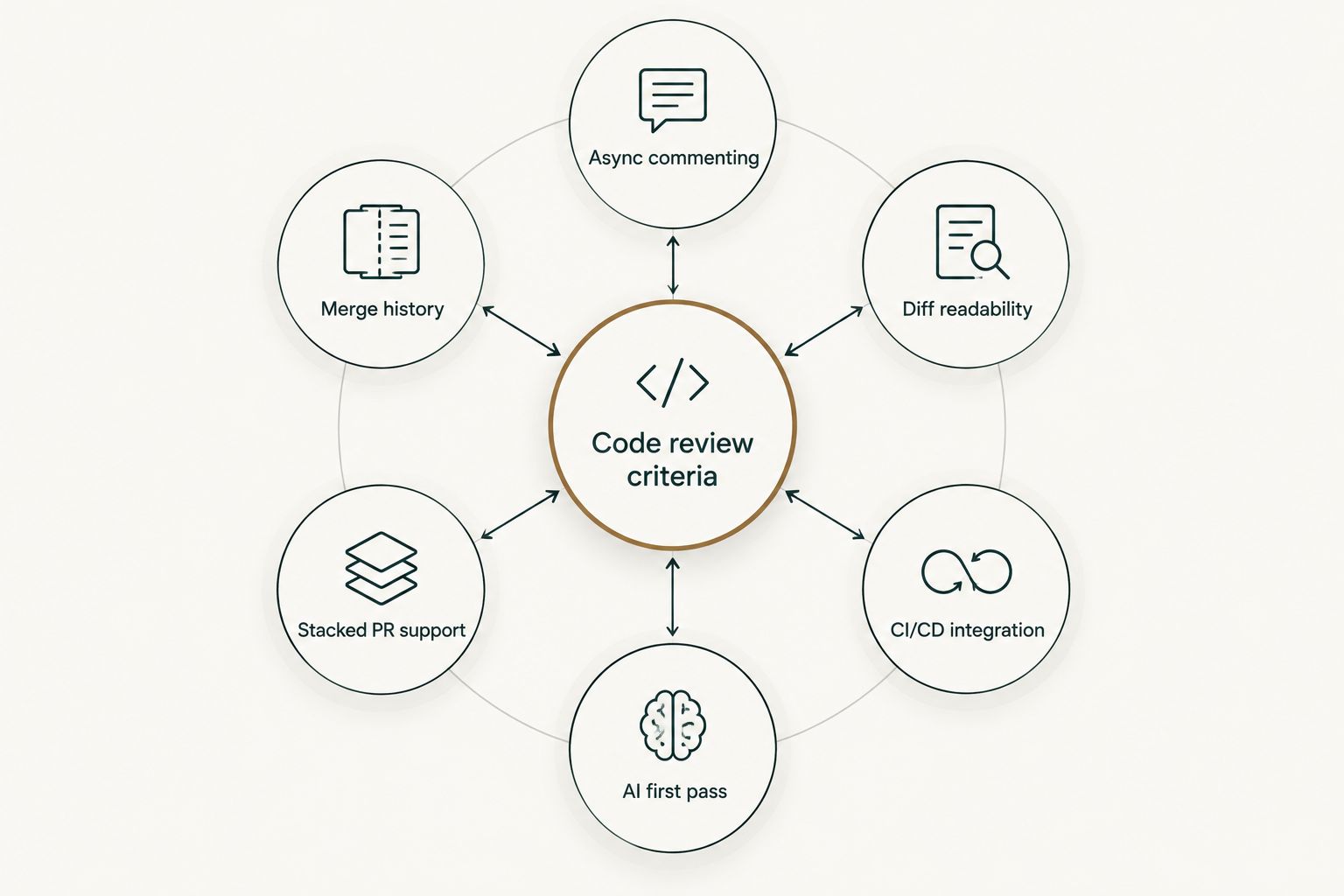
What makes the best code review tool for remote teams
- Async-friendly commenting — threads that stay anchored across force-pushes, not just live pairing sessions.
- Diff readability — clean rendering of large diffs and renamed files without manual scrolling gymnastics.
- CI/CD integration — merge status blocks automatically when checks fail, no manual gatekeeping.
- AI-assisted first pass — flags style and obvious logic issues before a human opens the diff.
- Stacked or small-PR support — built for splitting large changes into diffs a reviewer can actually finish in one sitting.
- Merge history and reporting — a separate, browsable record of what shipped, apart from the review thread itself.
Code review tools for remote teams at a glance
| Tool | Best for | Standout feature | Key limitation |
|---|---|---|---|
| GitHub Pull Requests | Teams already hosting on GitHub | Native diff view with required reviewers | Limited AI assist without a third-party app |
| GitLab Merge Requests | Review bundled with CI/CD | Merge trains built into the pipeline | Steep migration if you're not already on GitLab |
| CodeRabbit | AI-assisted first-pass review | Auto-generated review summaries per PR | Still needs human sign-off on logic-heavy changes |
| Graphite | Stacked-PR workflows | Visualizes the whole stack, not one diff at a time | Workflow shift for teams used to single big PRs |
| Reviewable | Threaded review on huge diffs | Comments stay anchored across force-pushes | Separate login and dashboard outside GitHub's UI |
| Pull Tally | Tracking merged PR history afterward | Groups merged PRs by month, org, or repo | Doesn't review code at all — it's not built to |
1. GitHub Pull Requests: best code review tool for remote teams already on GitHub
GitHub's native review flow is the default for a reason: it lives where the code already lives, and every remote team member already has an account. Comments attach to specific diff lines, required reviewers can block a merge, and status checks from CI run automatically before anyone approves.
GitHub Pull Requests pros:
- Zero extra tool to onboard a remote team onto
- Required-reviewer rules enforce review before merge
- Comment threads and suggested edits happen inline
GitHub Pull Requests cons:
- No built-in AI first pass on large diffs
- Diff rendering gets slow on very large renamed-file changes
- No native monthly or per-org merge reporting
Best for: remote teams that already host their repos on GitHub and don't want a second dashboard.
Verdict: Buy.
2. GitLab Merge Requests: best for teams that want review and CI/CD in one dashboard
GitLab folds code review, pipelines, and merge trains into a single product, which matters for remote teams that don't want to stitch a review tool to a separate CI system. Merge requests carry approval rules, and pipeline status gates the merge button directly.
GitLab Merge Requests pros:
- Approval rules and CI status live in one interface
- Merge trains queue and test changes in sequence automatically
- Self-hosted option for teams with data residency requirements
GitLab Merge Requests cons:
- Migrating an existing GitHub-hosted codebase is real work
- Diff UI feels heavier than GitHub's for quick reviews
Best for: teams already on GitLab, or ones consolidating review and pipelines into one platform.
Verdict: Buy (if you're already on GitLab). Skip the migration just for the review UI alone.
3. CodeRabbit: best for AI-assisted first-pass review on large diffs
CodeRabbit posts an automated summary and line-level comments on a pull request before a human reviewer opens it. For remote teams, that means the human reviewer starts on logic and architecture instead of catching a missing null check at 11pm their time.
CodeRabbit pros:
- Auto-generated PR summaries save the reviewer a first read-through
- Flags common bugs and style issues before human review starts
- Integrates directly into the GitHub or GitLab review flow
CodeRabbit cons:
- Still requires a human to sign off on business logic
- False positives on unusual code patterns need tuning over time
Best for: teams with high PR volume where a human reviewer's time is the actual bottleneck.
Verdict: Buy for high-volume repos; Hold if your team merges only a handful of PRs a week.
4. Graphite: best for stacked-PR workflows across async teams
Graphite is built around stacking: splitting one large change into a sequence of small, dependent pull requests instead of shipping one enormous diff. That directly serves the async-review problem, since a 400-line diff reviews faster and safer than a 2,000-line one — a guideline Google's own engineering practices documentation has recommended for years.
Graphite pros:
- Visualizes the entire stack, not one PR in isolation
- Encourages smaller diffs, which remote reviewers finish in one sitting
- Rebases and restacks handled automatically as the stack changes
Graphite cons:
- Requires a workflow change for teams used to single large PRs
- Adds a tool on top of GitHub or GitLab rather than replacing either
Best for: teams shipping frequent, incremental changes who want review to stay fast as PR volume grows.
Verdict: Buy if your PRs regularly run over 400 lines; Skip if your team already ships small diffs.
“If a pull request is too large to review in one sitting, splitting it fixes the bottleneck faster than adding another reviewer.”
5. Reviewable: best for threaded line-by-line review on force-pushed diffs
Reviewable solves a specific pain: GitHub's own UI can lose comment context when a branch gets force-pushed mid-review. Reviewable keeps threads anchored to the code they refer to, even as the diff changes underneath them.
Reviewable pros:
- Comment threads survive force-pushes without losing context
- Handles very large diffs without the scroll fatigue of GitHub's native view
- Works alongside GitHub without replacing your hosting
Reviewable cons:
- A separate login and dashboard outside GitHub's own UI
- Smaller ecosystem than GitHub or GitLab's built-in review tools
Best for: teams reviewing large, iterative diffs where force-pushes are routine.
Verdict: Hold — worth adding on top of GitHub if force-push context loss is an actual recurring complaint on your team.
6. Pull Tally: best for tracking merged pull request history after review is done
Pull Tally isn't a code review tool, and it doesn't try to be one. It doesn't comment on diffs or block merges. What it does is let an individual developer browse and summarize their own merged pull requests by month, organization, or personal repository — the record you need once the review thread is closed and the PR has shipped.
That matters most at two moments: writing a performance self-review, or pulling together evidence of shipped work for a job search. Both usually mean scrolling GitHub search manually across months of history. Pull Tally replaces that manual search with a monthly, filterable view of what actually merged.
Access is read-only against pull request metadata, and signing in alone does not connect private organization repositories — you choose what gets pulled in. This is personal delivery history, not a productivity score.
Pull Tally pros:
- Groups merged PRs by month, org, or repo without manual GitHub search
- Read-only access to pull request metadata, nothing is written back
- Built for the individual developer's own history, not team surveillance
Pull Tally cons:
- Doesn't review, comment on, or block any pull request
- Adds no value if you never need a merged-PR record outside GitHub itself
Best for: individual developers prepping a performance review or job search who are tired of manual GitHub search.
Verdict: Buy as a complement to whichever code review tool above your team actually uses.
See your merged PR history by month
Browse and summarize merged pull requests by month, org, or repo.
How we ranked
Each tool above got weighed against the six criteria: async commenting, diff readability, CI/CD integration, AI first pass, stacked-PR support, and merge history. No single tool wins on all six — GitHub wins on adoption and CI integration, CodeRabbit wins on AI first pass, Graphite wins on stacked-PR support, and Pull Tally wins on merge history because it's the only one built around that criterion at all. That's also why the ranking reads as a decision tree rather than a leaderboard: pick based on which criterion is actually your bottleneck in 2026, not which tool has the longest feature list. For teams also comparing analytics platforms, the breakdown of GitHub pull request analytics tools covers the reporting layer in more depth.
Which code review tool should you choose?
For most remote teams in 2026, GitHub Pull Requests is still the right default — it's already where the code lives, and required-reviewer rules cover the basics without adding a tool. Layer CodeRabbit on top once PR volume gets high enough that a human reviewer's time is the actual constraint. Move to Graphite if diffs keep growing past a reviewable size and stacking would fix it structurally. None of that replaces having a record of what shipped — that's what Pull Tally is for, sitting downstream of whichever review tool the team runs.
FAQ
What's the best code review tool for remote teams in 2026?
GitHub Pull Requests is the best default for remote teams already hosting on GitHub in 2026, since it needs no extra tool and enforces required reviewers before merge. Teams with high PR volume often add CodeRabbit for an AI first pass on top.
Is GitHub good enough for code review without extra tools?
Yes, for most teams — GitHub's native diff view, required reviewers, and CI status checks cover the core review workflow. Teams add tools like CodeRabbit or Graphite when PR volume or diff size specifically becomes the bottleneck.
Do AI code review tools like CodeRabbit replace human reviewers?
No. CodeRabbit and similar tools post an automated first pass — summaries and style or bug flags — but a human still needs to sign off on business logic before merge in 2026.
How do you track merged pull requests for a performance review?
Pull Tally browses and summarizes your merged pull requests by month, organization, or repository, replacing manual GitHub search across months of history. Access is read-only and doesn't connect private org repos unless you choose to include them.
What is Pull Tally used for?
Pull Tally is used by individual developers to browse and summarize their own merged GitHub pull requests by month, organization, or personal repository. It doesn't review code — it's a record of what already merged, useful for performance reviews and job searches.
Does Pull Tally require access to private organization repos?
Signing in alone does not connect private organization repositories. You choose what gets included, and access to pull request metadata is read-only.
How do stacked pull requests work in Graphite?
Graphite splits one large change into a sequence of smaller, dependent pull requests that build on each other, then handles rebasing the stack automatically as earlier PRs merge. It's built for remote teams that want diffs small enough to review quickly.
What's the difference between a code review tool and a PR analytics tool?
A code review tool like GitHub Pull Requests or GitLab Merge Requests handles commenting, approvals, and merge gating before code ships. A PR analytics or tracking tool like Pull Tally works after that, summarizing what already merged by month or repo.
One last thing
Most remote teams don't need a fourth code review tool — they need smaller pull requests. Google's own engineering practices documentation has recommended keeping diffs under roughly 400 lines for years, and every tool on this list, from Graphite's stacking to CodeRabbit's AI first pass, is really just working around PRs that got too big before anyone opened them. Fix the size, and half the tooling problem in 2026 solves itself.