
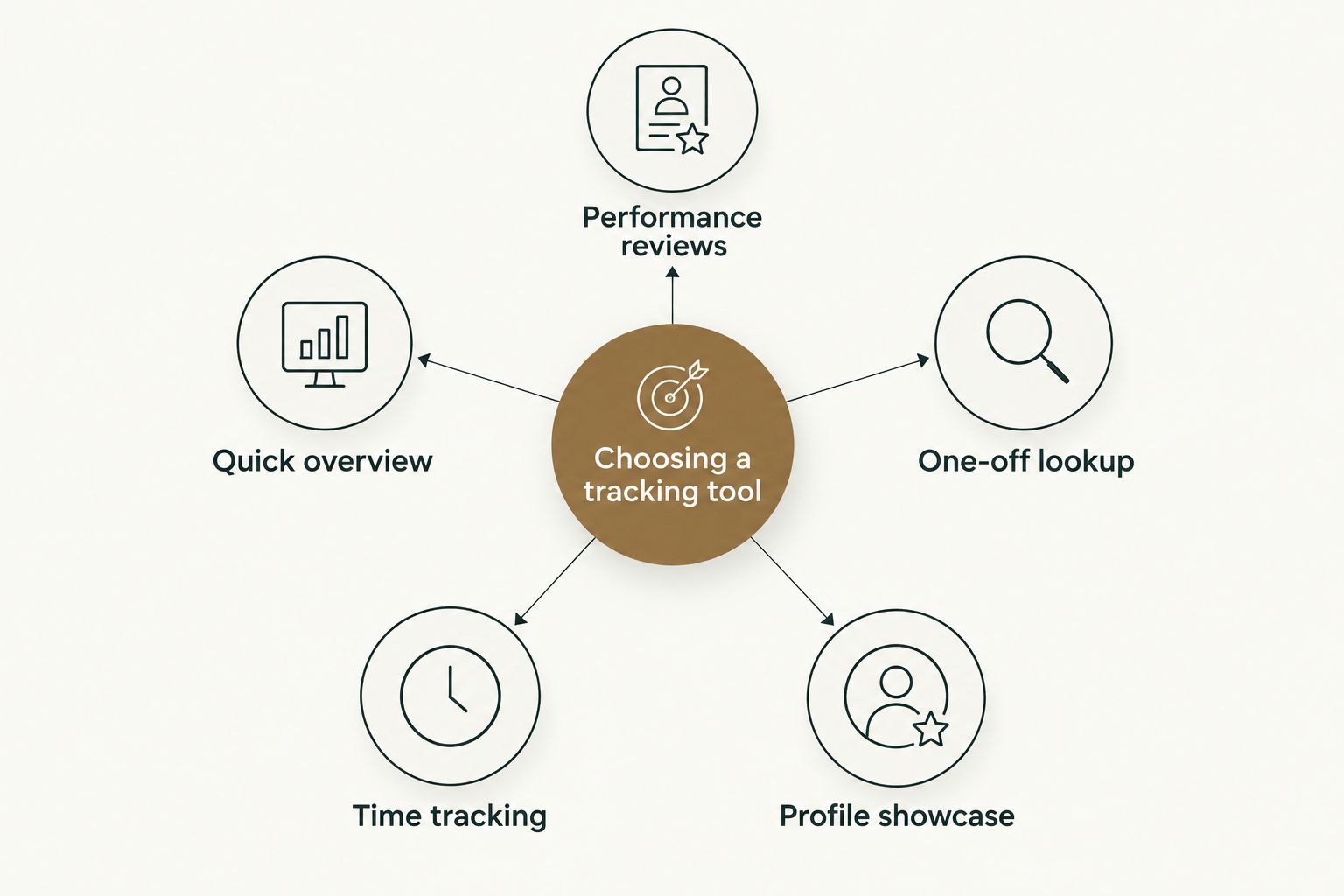
Pull Tally is the best github contribution tracking tool for 2026 if you need a monthly, filterable list of merged pull requests for a performance review or job search. GitHub's native contribution graph wins for a quick public overview. GitHub's built-in search operators win for a one-off lookup. WakaTime wins if you actually need coding-time data, not pull request data. github-readme-stats wins for a public profile showcase.
- Pull Tally is the best github contribution tracking tool for monthly merged-PR summaries used in reviews and job applications.
- GitHub's native contribution graph is free and built in, but it mixes commits, issues, and PRs into one grid.
- GitHub search operators like is:pr is:merged author:@me work for a single quick lookup, not repeatable monthly reporting.
- WakaTime tracks time spent coding, not merged pull requests — a different job entirely.
- github-readme-stats renders lifetime totals on a profile README, not a month-by-month breakdown.
Why this matters
Most developers only think about their merged pull request history once a year, right before a performance review, or once a job search starts. By then, six months of work is scattered across five repositories and three organizations.
GitHub's own interface was not built to answer "what did I ship in March" or "how many PRs did I merge into the payments repo this quarter." Pull Tally exists specifically for that question — it reads your merged pull request history and lets you filter by month, organization, or repository.
The rest of this list covers tools that touch adjacent problems: activity visualization, time tracking, and profile display. None of them do the same job, which is exactly why picking the wrong one wastes an afternoon of manual scrolling.
What makes the best github contribution tracking tool
Before ranking anything, here's what actually separates a useful tool from a novelty badge on a README:
- Filters by time period — month, quarter, or custom range, not just "all time"
- Scopes by organization or repo — separates personal projects from day-job work
- Read-only access — no write scopes, no risk of the tool touching your repos
- Covers merged pull requests specifically — not commits, not issues, not lines of code
- Produces something you can paste into a review or resume — not just a chart
- Doesn't score or gamify — a delivery history, not a productivity score
Best github contribution tracking tools in 2026: at a glance
| Tool | Best for | Standout feature | Key limitation |
|---|---|---|---|
| Pull Tally | Monthly merged-PR summaries for reviews and job searches | Filters merged PRs by month, org, or repo | Covers pull requests only, not commits or issues |
| GitHub contribution graph | Quick public activity overview | Built into every GitHub profile automatically | Mixes commits, issues, and PRs into one grid |
| GitHub search operators | One-off pull request lookups | Instant results with is:pr is:merged author:@me | Manual, no repeatable monthly aggregation |
| WakaTime | Tracking actual coding time | Editor plugin logs time by language and project | Measures time in editor, not merged PR output |
| github-readme-stats | Public profile showcase | Renders a stats card directly on your README | Shows lifetime totals, not a specific period |
1. Pull Tally: best github contribution tracking tool for performance reviews and job-search summaries
Pull Tally connects to your GitHub account and reads pull request metadata to build a browsable, filterable history of what you merged. You pick a month, an organization, or a personal repository, and it returns the merged PRs that match — no scrolling through activity feeds, no copying links into a spreadsheet.
Access is read-only. Signing in alone does not connect private organization repositories — those stay separate until you explicitly grant access to them. That distinction matters if you contribute to both a day job's private org and personal public repos and want to keep the two apart.
Pull Tally pros:
- Filters merged PRs by month, organization, or repo in one view
- Read-only access to pull request metadata, nothing written back to GitHub
- Built for personal delivery history, not a productivity score
- Faster than repeating GitHub search queries every review cycle
Pull Tally cons:
- Covers pull requests only — it doesn't track commits, issues, or coding time
- Requires GitHub sign-in, which some developers hesitate to grant even for read-only scopes
- Not a substitute for a full software engineer self-review writeup — it's the raw data source for one
Best for: developers building a review packet or resume bullet list from real merged work. Verdict: Buy.
See your merged PRs by month
Browse and filter your merged pull request history before your next review.
2. GitHub's native contribution graph: best for a quick public activity overview
Every GitHub profile ships with the green contribution graph. It counts commits, pull requests, issues, and code reviews into one squared calendar, and it costs nothing to set up because it's already there.
It's the fastest way to eyeball whether someone (including yourself) was active in a given week. It is not built to isolate pull requests from other activity, and private contributions render as anonymous filled squares unless you opt into showing them.
GitHub contribution graph pros:
- Zero setup, visible on every profile by default
- Free and maintained by GitHub itself
- Good enough for a fast "was I active this month" check
GitHub contribution graph cons:
- Combines commits, issues, and PRs — no way to isolate merged pull requests alone
- No month-by-month export or filtered report
- Private activity shows as anonymous squares unless you change your profile setting
Best for: a glance-level check of activity, not a report you'd hand to a manager. Verdict: Hold — keep it visible on your profile, don't rely on it for review data.
3. GitHub search operators: best for one-off pull request lookups
GitHub's search bar supports query syntax like is:pr is:merged author:@me scoped to a repo or org. Typed correctly, it returns a list of your merged pull requests in seconds, with no third-party sign-in required.
This is the right tool when you need one answer, once — "did I merge anything into this repo last week." It stops being efficient the moment you need the same answer every month across five repositories, because you're retyping and re-scoping the query each time.
GitHub search pros:
- No sign-up, no third-party access grant, works instantly in the browser
- Flexible query syntax covers dates, authors, labels, and repos
- Good for tracking merged pull requests on a single occasion
GitHub search cons:
- Manual — no saved monthly view, you rebuild the query every time
- Easy to forget a repo or org you contributed to and miss it entirely
- Results aren't formatted for pasting into a review document
Best for: an occasional, single-repo check. Verdict: Buy for occasional use, Skip as a monthly reporting habit.
4. WakaTime: best for tracking actual coding time, not merged PRs
WakaTime installs as a plugin in your code editor and logs how much time you spend actively coding, broken down by language, project, and editor. It answers a different question than the other tools on this list: not "what did I ship" but "where did my hours go."
That makes it useful alongside a pull request tracker, not instead of one. Time spent coding and pull requests merged are related but separate signals — a long debugging session might produce zero merged PRs, and a one-line hotfix might close a ticket that took a week to diagnose.
WakaTime pros:
- Tracks real coding time automatically once the plugin is installed
- Breaks activity down by language and project
- Useful context for time-management conversations, separate from output
WakaTime cons:
- Doesn't track merged pull requests or GitHub activity at all
- Requires installing and maintaining a plugin in every editor you use
- Time logged doesn't map cleanly to review-ready deliverables
Best for: developers who want a time-audit alongside their delivery record. Verdict: Hold — pair it with a PR tracker, don't use it as one.
5. github-readme-stats: best for a public GitHub profile showcase
github-readme-stats is an open-source project that renders a stats card — commits, stars, top languages — directly inside your GitHub profile README. It's popular for personal branding because it updates automatically and needs no dashboard login to view.
The numbers it shows are lifetime cumulative totals, not a snapshot of a specific month or quarter. It's built for a public first impression, not for the specific data a manager or recruiter asks for in a review cycle.
github-readme-stats pros:
- Free and open source, widely used on developer profiles
- Updates automatically once configured
- Good visual shorthand for a portfolio or personal site
github-readme-stats cons:
- Shows lifetime totals, not a specific month or period
- No pull-request-level detail — just aggregate counts
- Not something you'd attach to a formal review document
Best for: a profile README that needs a visual stat card. Verdict: Buy for profile display, Skip for review reporting.
How we ranked these tools
Each tool was measured against the criteria above: time-period filtering, org or repo scoping, read-only access, pull-request specificity, output usability, and the absence of gamified scoring. Pull Tally ranks first because it's the only one built specifically to filter merged pull requests by month and organization. The rest earn their spot for a narrower, genuinely different job — none of them compete for the same slot.
If the tool can't tell you what you merged last March without you rebuilding a search query, it's not a tracking tool — it's a search bar.
Which github contribution tracking tool should you choose?
If you're preparing a performance review or a job application in 2026 and need a month-by-month record of merged pull requests, Pull Tally is the default pick. If you just want a public snapshot of activity on your profile, the native contribution graph or github-readme-stats cover that without any extra sign-in. If you need one quick answer right now, type the GitHub search query and move on. If time allocation is the actual question, WakaTime is the tool — but it won't tell you what shipped.
Most developers end up using two of these together: one tool for the public face of their profile, one for the private record they hand to a manager.
FAQ
What is the best github contribution tracking tool in 2026?
Pull Tally is the best github contribution tracking tool in 2026 for developers who need merged pull requests filtered by month, organization, or repo. It's built for that one job rather than general activity visualization.
Is Pull Tally free to use?
Check the current plan details on the Pull Tally site before signing in. Access to your pull request data is read-only regardless of plan.
How do I see my merged pull requests by month on GitHub?
GitHub's search bar supports queries like is:pr is:merged author:@me scoped by date, but it doesn't group results by month automatically. Pull Tally does that grouping directly.
Does GitHub's contribution graph show private repository activity?
Private contributions appear as anonymous filled squares unless you opt into showing private activity in your profile settings. Even then, the graph doesn't separate pull requests from commits or issues.
Can WakaTime track pull requests, not just coding time?
No, WakaTime tracks time spent actively coding in your editor, not GitHub pull request activity. It's a time-audit tool, not a delivery-history tool.
What data does a github contribution tracking tool need access to?
A tool built for pull request tracking needs read access to pull request metadata — titles, merge dates, and repos. Signing in with GitHub does not automatically connect private organization repositories unless you grant that access.
Is github-readme-stats safe to add to my profile?
github-readme-stats is an open-source project that pulls public GitHub data to render a stats card on your README. It shows lifetime totals, not a specific time period.
How is Pull Tally different from GitHub search?
GitHub search returns results for one query at a time and requires you to rebuild the query for every date range. Pull Tally is built to browse and filter merged pull requests by month, org, or repo without repeating the setup.
One last thing
The tool that matters most in 2026 isn't the one with the prettiest graph — it's the one that answers "what did I merge last quarter" in under a minute, because that's the question every review and every interview loop eventually asks. If you're building a case for a raise or a new role, start with your brag document and pull the merged-PR data into it directly instead of reconstructing it from memory.