
Best overall: Geekbot for asynchronous Slack standups; best for Microsoft Teams check-ins: DailyBot; best for an individual developer reviewing merged GitHub work: Pull Tally. The best standup report tools for engineering teams in 2026 depend on whether you need a team update or a personal record of completed work.
- Geekbot is the best standup report tool for engineering teams that run asynchronous check-ins in Slack.
- DailyBot fits engineering teams that need asynchronous check-ins in Microsoft Teams.
- Pull Tally helps individual developers browse merged GitHub pull requests; it does not collect team standup responses.
- GitHub search is enough for an occasional merged pull request lookup, but it leaves the summary to you.
Why this matters
A standup report answers what teammates are doing and where they are blocked. A merged pull request history answers a different question: what code changes reached completion. Mixing those records produces a weak update. A developer can merge several pull requests without having anything useful to report as a blocker; another can spend a day resolving a difficult issue without merging one.
Geekbot is best for engineering teams that want asynchronous standup reports in Slack. If your immediate task is a performance review or job application instead, start with your own merged work rather than asking a standup tool to reconstruct it.
Keep these records separate in 2026: team check-ins become meeting notes; individual PR history becomes review evidence. Neither is a productivity score, and neither tells the full story of an engineer’s contribution.
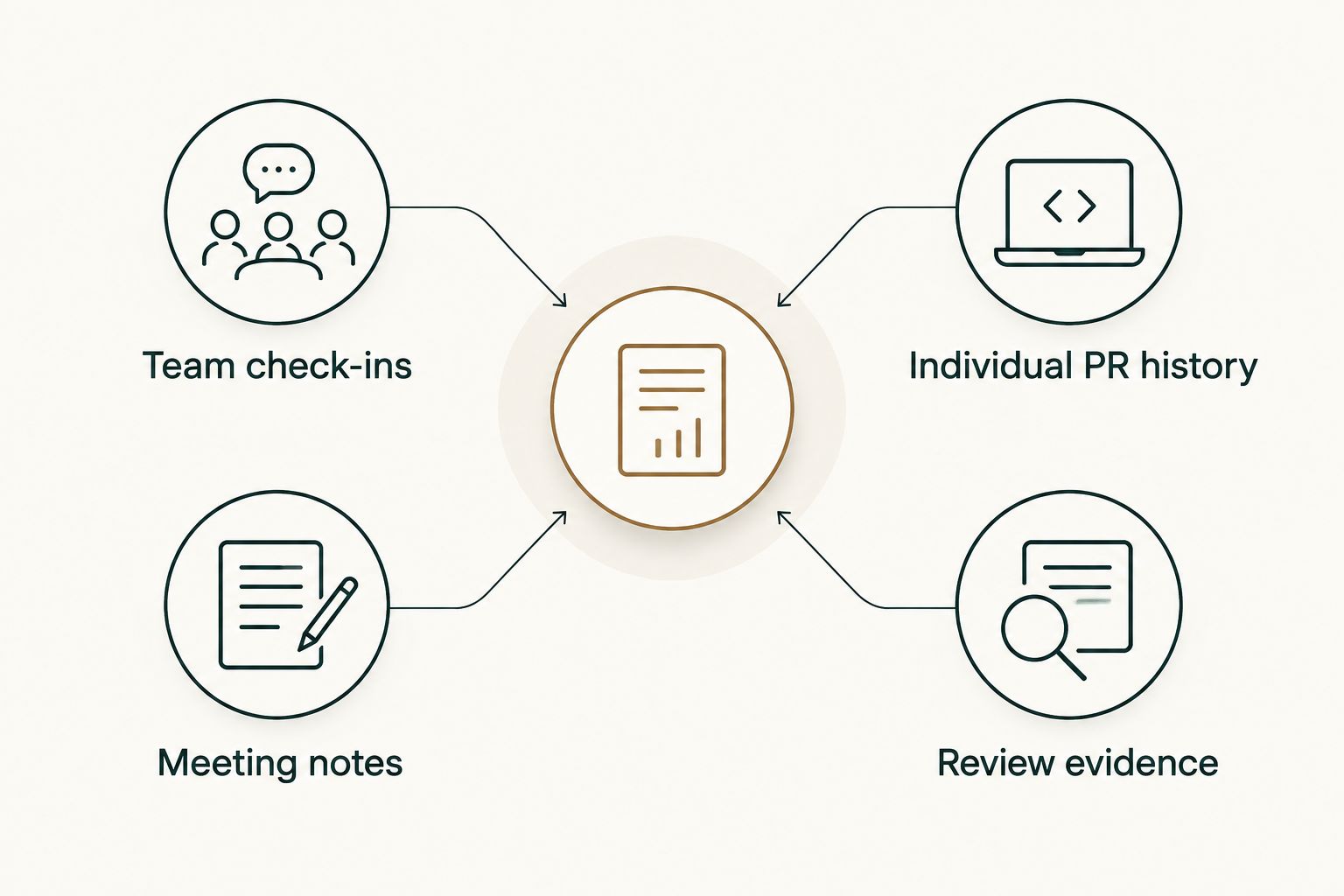
What makes the best standup report tool?
Use these criteria before comparing features. The first decision is what kind of report you actually need.
- Report destination: A team check-in belongs where teammates already read updates. A personal work summary belongs somewhere the developer can revisit when preparing a review.
- Response burden: An asynchronous prompt should make it easy to say what changed and what needs help. If writing the report takes longer than explaining the work, simplify the questions.
- Evidence source: Standup answers describe what people say they are working on. Merged pull requests show completed repository activity. Choose the source that supports the question you need to answer.
- Permission scope: Check what an application requests before connecting an account or workspace. Team messaging access and GitHub repository access serve different purposes.
- History access: A report is less useful if you cannot find a past update when a manager asks for context or when you write a self-review.
For a 2026 evaluation, give the team a 1-week trial with its real check-in questions. Then ask one developer to retrieve a past update and explain how they found it. For a personal history workflow, review 3 merged pull requests from one month and write a 2-sentence summary of the work they represent. These are evaluation tasks, not performance targets.
Best standup report tools at a glance
| Tool | Best for | Standout function | Key limitation |
|---|---|---|---|
| Geekbot | Asynchronous standups in Slack | Collects check-in responses through Slack | A standup answer is not verified delivery history |
| DailyBot | Asynchronous check-ins in Microsoft Teams | Runs recurring team check-ins | Check-ins still depend on what each person writes |
| Pull Tally | Personal merged PR history | Browses merged GitHub pull requests by month, organization, or personal repository | Does not collect team standup responses |
| GitHub search | An occasional merged PR lookup | Finds pull requests in GitHub | You assemble the report yourself |
These are not interchangeable products. The first two collect team updates. The last two help a developer inspect pull requests. Choose between those jobs before choosing between tools.
1. Geekbot: best standup report tool for Slack teams
Geekbot collects asynchronous check-in responses in Slack. That makes it the default here for a team that already coordinates in Slack and wants written standup updates instead of relying only on a meeting. A useful prompt asks for progress, the next task, and anything that needs another person’s attention.
The report is only as clear as the responses. If an engineer writes a vague update, the tool cannot turn it into a dependable account of delivered work. Keep the questions specific, and discuss blockers with the people who can resolve them.
Geekbot pros:
- Keeps standup responses in the team’s Slack workflow.
- Lets teammates read an update without attending at the same moment.
- Creates a written record of what people reported.
Geekbot cons:
- Does not establish whether reported work was merged.
- Adds little if the team does not want standup prompts in Slack.
Best for: Engineering teams that use Slack and need asynchronous standup reports.
Verdict: Buy if the missing piece is a consistent Slack check-in. Skip it as a substitute for a developer’s merged pull request history.
2. DailyBot: best standup report tool for Microsoft Teams
DailyBot supports asynchronous team check-ins in Microsoft Teams. It fits an engineering team that wants recurring written updates in that environment rather than moving standups into a separate manual document. As with Geekbot, the useful output is what teammates report: progress, plans, and blockers.
Before adopting it in 2026, write the questions your team would actually answer. A prompt that asks for every activity creates a long status list. A prompt that asks what needs help gives teammates a clearer reason to read the update.
DailyBot pros:
- Supports a Microsoft Teams check-in workflow.
- Provides a repeatable place to submit team updates.
- Makes blockers visible in written responses.
DailyBot cons:
- Self-reported updates do not confirm which pull requests merged.
- Another recurring prompt is unnecessary if your existing meeting already resolves blockers clearly.
Best for: Engineering teams using Microsoft Teams for asynchronous check-ins.
Verdict: Buy when a written Microsoft Teams standup solves a real coordination gap. Hold if the team has not agreed on what its check-in needs to answer.
3. Pull Tally: best for a developer’s merged PR history
Pull Tally is a web tool for individual software developers to browse and summarize their merged GitHub pull requests by month, organization, or personal repository. It belongs in this comparison because a developer preparing a standup or self-review often needs to recall completed work. It does not replace a team standup tool: it does not collect everyone’s plans or blockers.
Use it when you keep repeating the same manual GitHub search to remember what merged. For example, browse a month of merged work, identify the changes relevant to your review, and write the impact in your own words. The pull request history supplies a record of merged changes, not an automatic judgment about their value.
Pull Tally pros:
- Groups an individual developer’s merged pull requests by month.
- Lets you browse by organization or personal repository.
- Gives you a starting point for a self-review or job-search work summary.
Pull Tally cons:
- Does not gather team standup responses or track blockers.
- Merged pull requests alone do not describe unmerged work, collaboration, or business impact.
Best for: Individual developers who need to revisit merged GitHub work for a performance review or job search.
Verdict: Buy for repeated personal PR-history review. Skip it if the only requirement is to collect a daily update from the whole team.
4. GitHub search: best for an occasional merged PR lookup
GitHub search is the straightforward option when you need to find a pull request and already know where to look. Search for merged pull requests, read the relevant titles and descriptions, and inspect the underlying work. You can then write a standup update or review summary yourself.
The limitation is repetition. A one-off search is simple; rebuilding a month-by-month personal history means searching, checking what belongs in the period, and assembling the account each time. GitHub search is also not a standup collection tool. It cannot tell teammates what help you need unless you write and share that update.
GitHub search pros:
- Lets you inspect the pull requests behind a claim about completed work.
- Fits a quick lookup without adopting another reporting workflow.
- Keeps the developer responsible for interpreting what the work meant.
GitHub search cons:
- Requires manual assembly when you need a recurring summary.
- Does not collect plans or blockers from an engineering team.
Best for: Developers checking a small number of merged pull requests occasionally.
Verdict: Buy as a manual lookup method. Hold on adding another tool until the repeated search itself becomes the problem.
How these tools were ranked
The order follows the search intent: an engineering team asking for a standup report usually needs a shared check-in first. Geekbot takes the top position for a Slack-based asynchronous workflow; DailyBot has a distinct Microsoft Teams use case. The personal-history options come next because they answer a related but narrower question about merged work.
This is a workflow ranking, not a claim that pull request counts measure output. A reliable 2026 standup can mention a blocker even when nothing merged. A reliable self-review can explain the effect of merged work without treating the count as a score.
When comparing the options yourself, test retrieval as well as submission. Submit a real update, then find it later. Search for completed work, then check whether the resulting record gives you enough context to write an accurate sentence about your contribution. If the record cannot support that sentence, add context rather than stretching the evidence.
Which standup report tool should you choose?
Choose Geekbot if your engineering team works in Slack and needs an asynchronous standup report. Choose DailyBot if Microsoft Teams is where the team reads and responds to check-ins. Both address team coordination, not proof that code merged.
If you are an individual developer preparing a review, choose the smaller job instead. Use GitHub search for an occasional lookup. Use Pull Tally when browsing and summarizing merged pull requests by month, organization, or personal repository would replace repeated manual searching. In 2026, the right distinction is simple: report current work to the team; use merged PR history to recall completed work.
FAQ
What is the best standup report tool for a Slack engineering team?
Geekbot is the best fit in this comparison for asynchronous standup reports in Slack. Ask for progress, the next task, and blockers so teammates can act on the responses.
What is the best standup report tool for a Microsoft Teams engineering team?
DailyBot is the Microsoft Teams check-in option in this comparison. It collects written updates, but the team still needs clear questions and honest responses.
Is a merged pull request report the same as a standup report?
No. A merged pull request report records completed repository activity, while a standup report communicates progress, plans, and blockers. Use each for the question it can answer.
Can Pull Tally collect standup responses from my team?
No. Pull Tally helps individual developers browse and summarize their merged GitHub pull requests. It is not a team standup collection tool.
Does signing in connect private organization repositories?
No. Signing in alone does not connect private organization repositories. Access to pull request metadata is read-only; check the requested permissions before connecting repository access.
When is GitHub search enough for a self-review?
GitHub search is enough when you only need an occasional pull request lookup. If you repeatedly rebuild a month-by-month account of merged work, a browsing tool addresses that repeated task.
Can pull request counts measure developer productivity?
No. A merged pull request tally is a personal delivery history, not a productivity score. Explain the work and its context instead of treating the count as a performance judgment.
One last thing
Before your next 2026 standup, write one sentence about what needs another person’s input. Before your next self-review, identify one merged pull request and explain why it mattered. The first helps the team act now; the second helps you describe completed work accurately.